Minecraft,launched beautifully.

Skybox Launcher keeps your instances, mods, worlds and servers in one calm place, installs Skybox Client, Fabric, Forge, NeoForge and Quilt for you, and gets you into the game in one click.

  • Skybox Client built in
  • Fabric, Forge, NeoForge and Quilt
  • Modrinth inside, updates in one click
  • Free, for Windows, macOS and Linux
Into the game, not into menus.
One click to playNo setup
Fabric · Forge · NeoForge · QuiltEvery loader
Search, install, updateModrinth inside
Windows · macOS · LinuxRuns anywhere
Instances

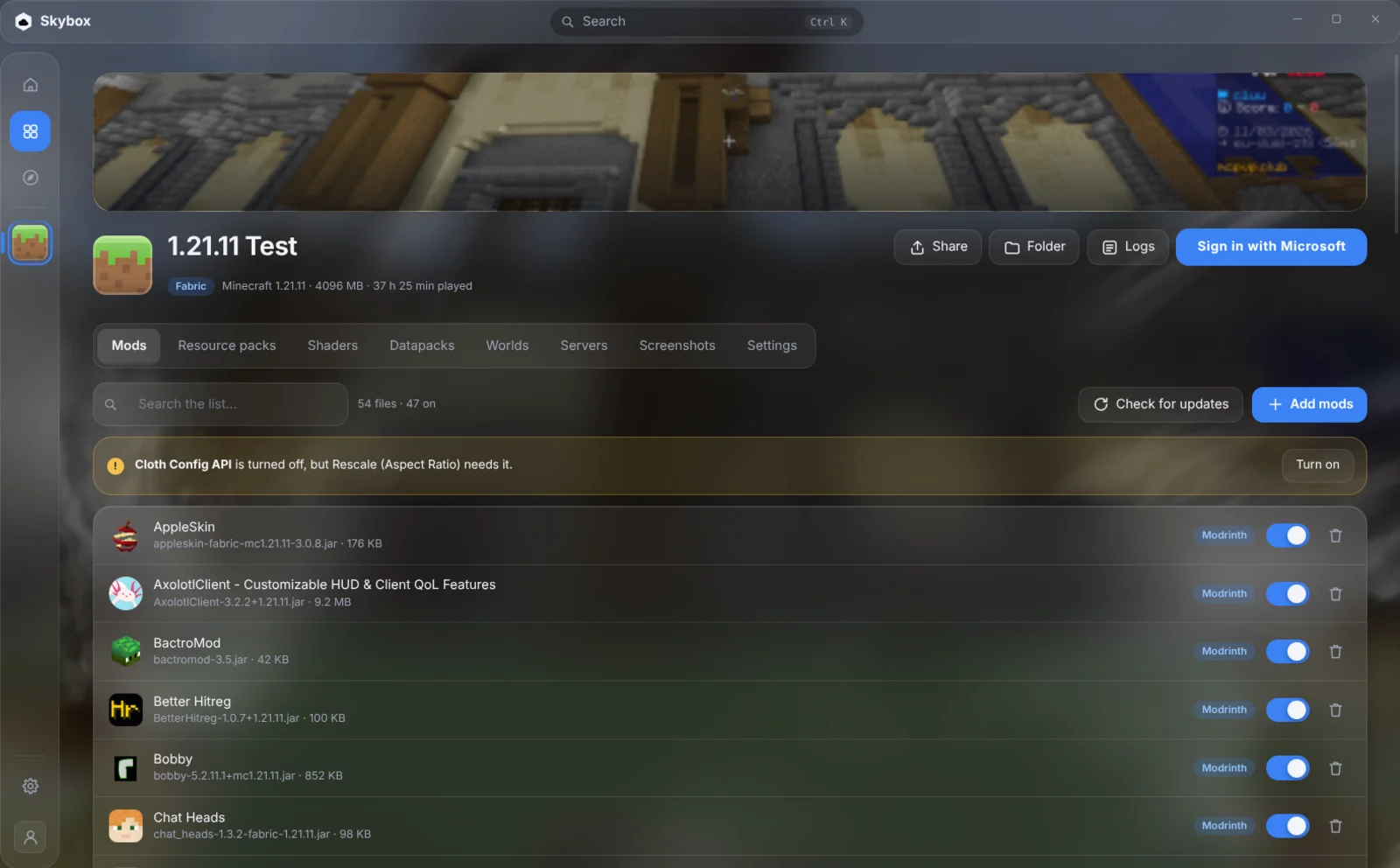
Every setup, kept apart.

Each instance has its own version, loader, mods, worlds and settings. Skybox installs the game, the loader and the right Java, and keeps them up to date.

  • Hand-added mods recognised by their hash
  • Warnings for missing and clashing mods
  • Verify and repair every file by its hash
Every setup, kept apart.
Modrinth

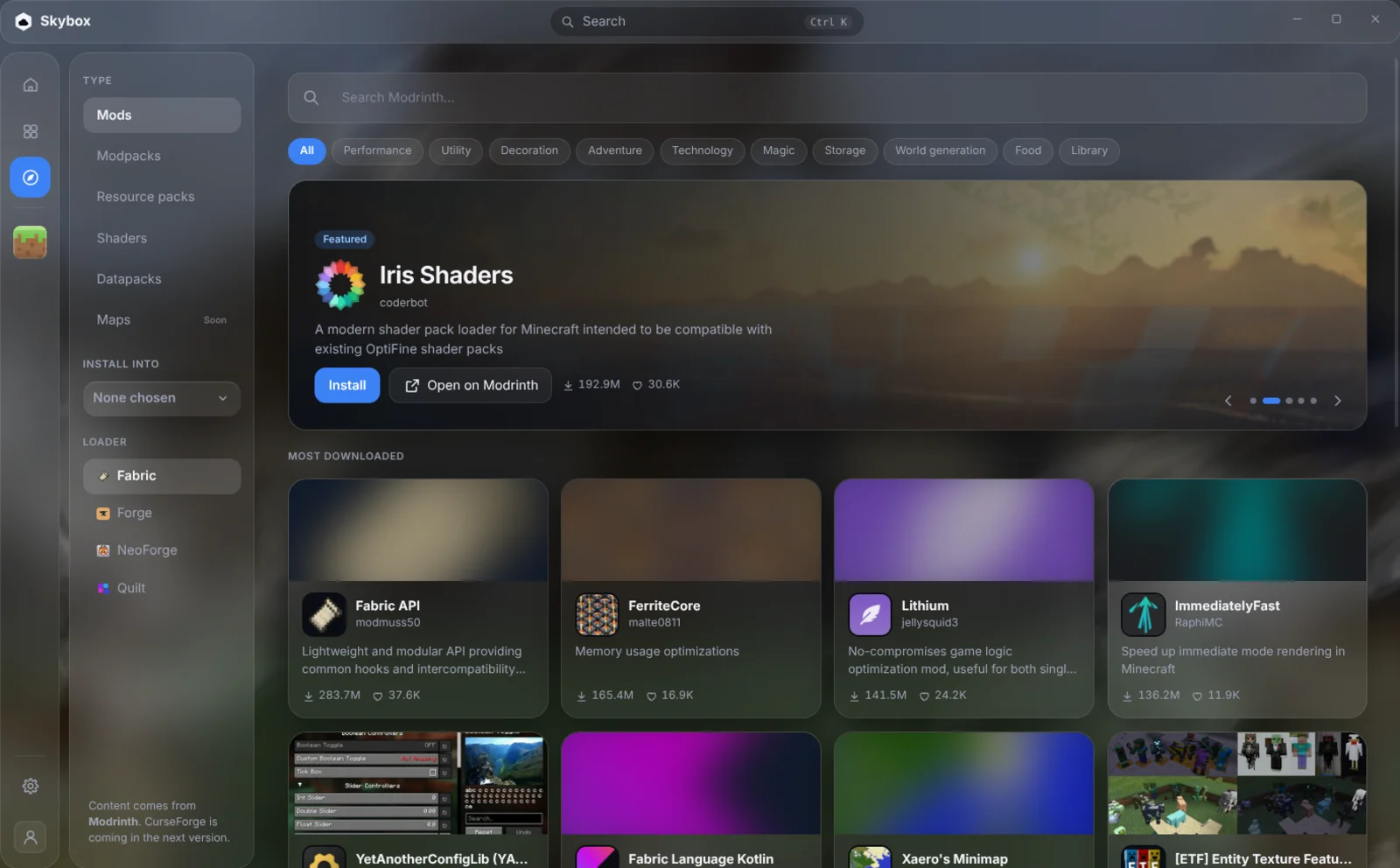
The whole catalogue, one click away.

Mods, resource packs, shaders, datapacks and modpacks from Modrinth, filtered for the instance you install into, with their dependencies.

  • Iris comes along with a shader
  • Modpacks become instances of their own
  • Share an instance as a .mrpack
The whole catalogue, one click away.
Play

Into the game, not into menus.

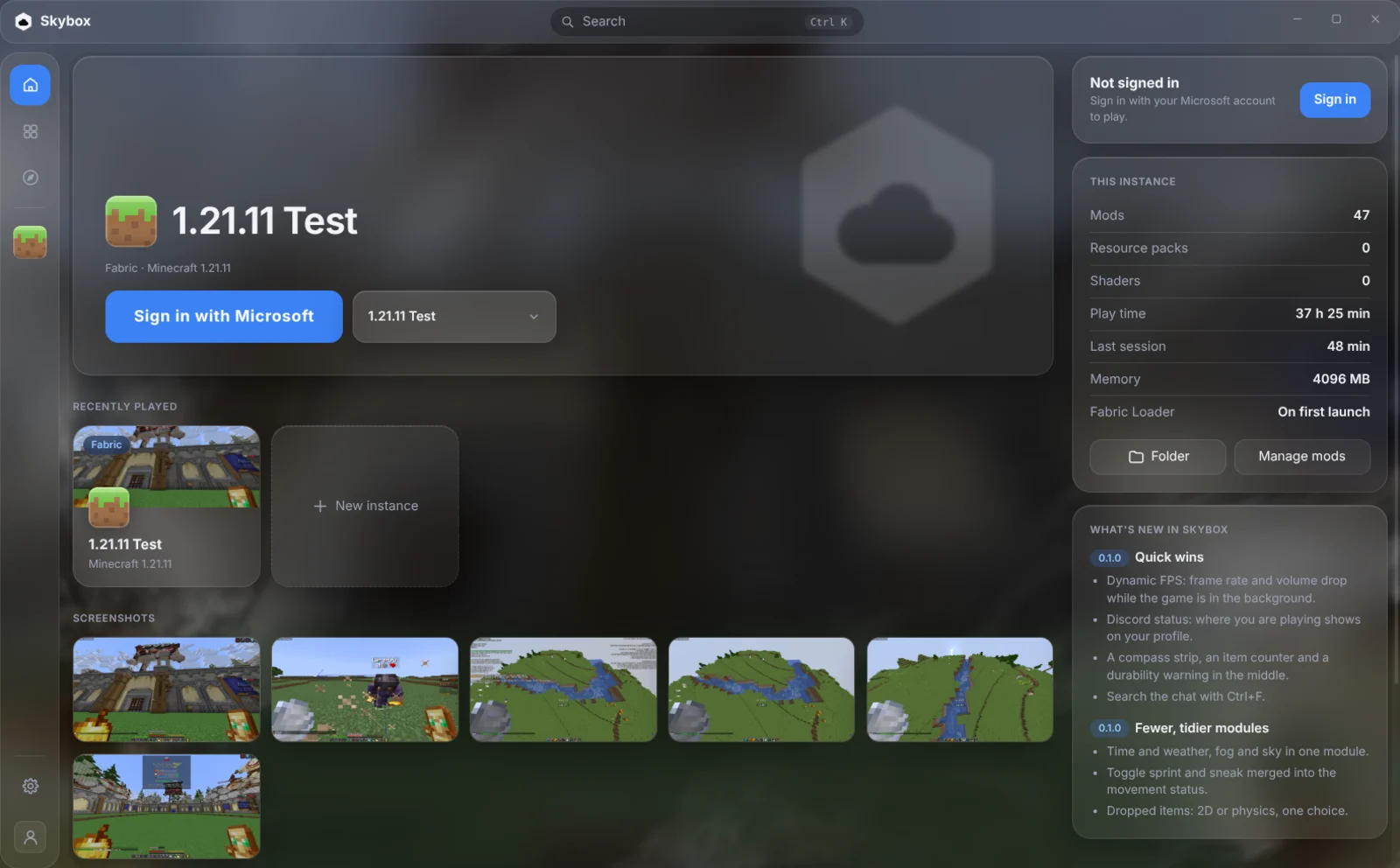
One big Play button for the instance you play most. Join a server straight from the launcher, back up a world before a risky build, find last night’s screenshots.

  • Server list with live players and ping
  • World backups you can put back
  • Play time for every instance
Into the game, not into menus.
Yours

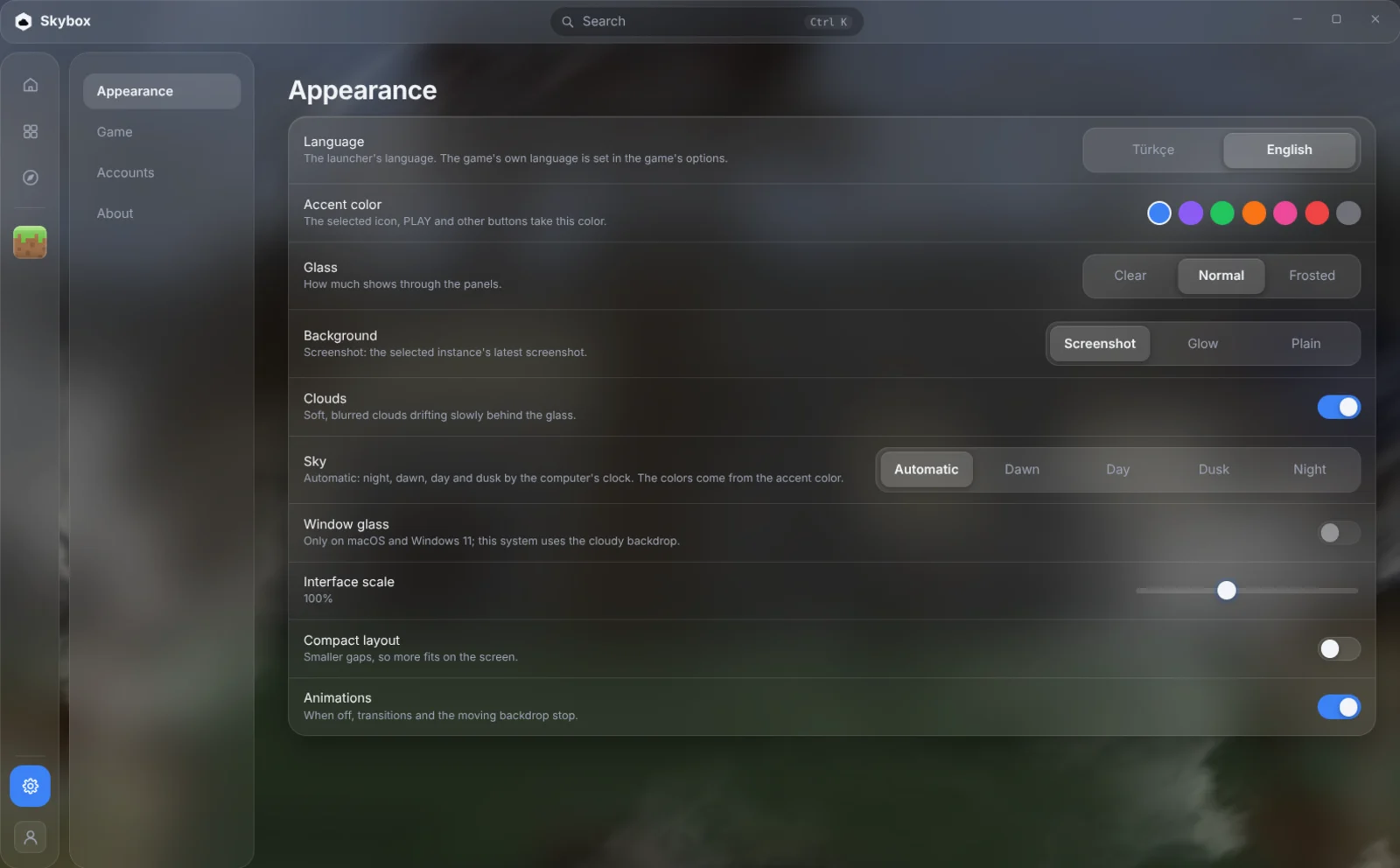
Looks the way you like.

Glass panels over a sky that follows your clock, in your accent colour, in English or Turkish. And when you want control: your own Java, JVM arguments and launch commands.

  • Seven accent colours, three glass levels
  • Imports from Prism, MultiMC, CurseForge and more
  • Updates itself in the background
Looks the way you like.
And the rest

Small things that add up.

  • Skybox Client built in

    The Skybox Client mod installs and stays up to date with the right Fabric and Fabric API for every version.

  • Every loader

    Fabric, Forge, NeoForge and Quilt, with Java downloaded for each Minecraft version. No Java install needed.

  • Modrinth inside

    Search and install mods, resource packs, shaders, datapacks and modpacks. Hand-added files are recognised by their hash and can be updated in one click.

  • Bring your instances

    Copy instances in from Prism, MultiMC, the Modrinth App, CurseForge, ATLauncher and the official launcher. Their files stay untouched.

  • Servers, live

    Your server list with each server’s message, players and ping, and a Join button that starts the game straight into it.

  • Worlds and backups

    Back a world up in one click and put it back later; the world as it is now is backed up first, so nothing is lost.

  • Share a modpack

    Export an instance as a .mrpack that this launcher, the Modrinth App and Prism can install, and install packs your friends send.

  • Your rules

    Pick a Java, add JVM arguments, set the window size, wrap the game in gamemoderun or mangohud, run commands before and after.

  • Verify and repair

    Checks the game, libraries, assets, Java and Modrinth files by their hashes and downloads only what is broken.

  • Logs that help

    The game log in its own window with search, colours and a one-click upload to mclo.gs when you need help.

  • Updates itself

    New versions download quietly in the background and install when you close the launcher, or right away with one click.

  • English and Turkish

    The whole launcher in both languages, starting in your computer’s.

Coming from another launcher? Skybox finds your instances where these launchers keep them and copies them over with their mods, worlds and settings.

  • Prism Launcher
  • MultiMC
  • Modrinth App
  • CurseForge
  • ATLauncher
  • Minecraft Launcher
Download

Get Skybox Launcher

Free, and it keeps itself up to date.

The first release is on its way.Downloads will appear here as soon as it is out. You will need a Microsoft account that owns Minecraft: Java Edition.

Windows

Windows 10 and 11, 64-bit

Installer (.exe)

macOS

macOS 11 or newer

Apple silicon (.dmg)Intel (.dmg)

Linux

64-bit

AppImageDebian / Ubuntu (.deb)

You need a Microsoft account that owns Minecraft: Java Edition. The first versions are not code-signed yet. Windows may show a SmartScreen notice (More info → Run anyway); on macOS, open the app once with right-click → Open.

FAQ

Questions, answered.

Is Skybox Launcher free?

Yes. The launcher and Skybox Client are free. You still need to own Minecraft: Java Edition.

Is my Microsoft account safe?

You sign in on Microsoft’s own page in your browser; your password never reaches the launcher. The sign-in token is kept on your computer, encrypted with your system’s keychain, and is only sent to Microsoft, Xbox and Minecraft services.

Which Minecraft versions does it support?

Every release version Mojang lists, with the loaders that support it. Skybox Client is available for the versions it has builds for.

Can I keep using my Prism or Modrinth App instances?

Yes. Importing copies an instance; the other launcher keeps working exactly as before.

Does it collect data about me?

No. The launcher has no analytics or tracking. See the privacy policy for what it talks to and why.

Is this an official Minecraft product?

No. Skybox Launcher is made by an independent developer and is not approved by or associated with Mojang or Microsoft.

Ready when you are.

Download Skybox Launcher and be in game in a minute.

Download